




Nomaspin Login
The Nomaspin login page gives registered players direct access to their balance and their personal settings in a few seconds. Our platform serves an audience in the Netherlands, so the account area runs on euro balances and payment options that Dutch players already use every day. One profile covers your gameplay and your full financial history. Below we explain how registration works and how we protect each session.



Creating a New Nomaspin Account
An account changes a casual visit into full membership at Nomaspin Casino. Registered players place real-money bets and claim promotions we run every week. Guest visitors at Noma Spin stay in demo mode, where each spin uses virtual credits and results stay outside the real balance.
Membership also opens the tools that make long-term play comfortable. Your profile stores payment methods for repeat deposits and keeps a complete record of every session. The same area holds the responsible gaming limits you set for yourself, such as deposit caps and session timers. Saved details also speed up repeat visits because the payment form fills itself once a method has been confirmed. Our Support Team answers account questions through live chat around the clock, and multilingual support at Nomaspin Casino covers players who prefer another language.
How Do I Register for a Nomaspin Account?
Registration runs in two short windows at Noma Spin and finishes in about two minutes. The first window creates your credentials, and the Sign Up button submits them. The second window collects the personal details that confirm your age, and the Save button stores them. Nomaspin Casino keeps the registration form deliberately short, so the whole process fits comfortably on a phone screen.
Every field on the form feeds a specific process, as the table below shows.
| Registration field | Purpose |
|---|---|
| Email address | Identifies your profile and receives confirmation and password reset messages |
| Password | Protects access to your balance and your personal data |
| Terms and Conditions checkbox | Records your agreement with our platform rules |
| First and last name | Matches your profile with the identity documents used at verification |
| Date of birth | Confirms that you are at least 18 years old |
| Phone number | Supports account recovery and security alerts |
Your account goes live the moment the second window is saved, so your first Nomaspin login works right away. The wallet opens at the same time, and a deposit of €20 or more can go through within the same minute. Document checks come later, ahead of your first withdrawal, and our Support Team sends a reminder when that stage arrives.
How Do I Log In to My Nomaspin Account?
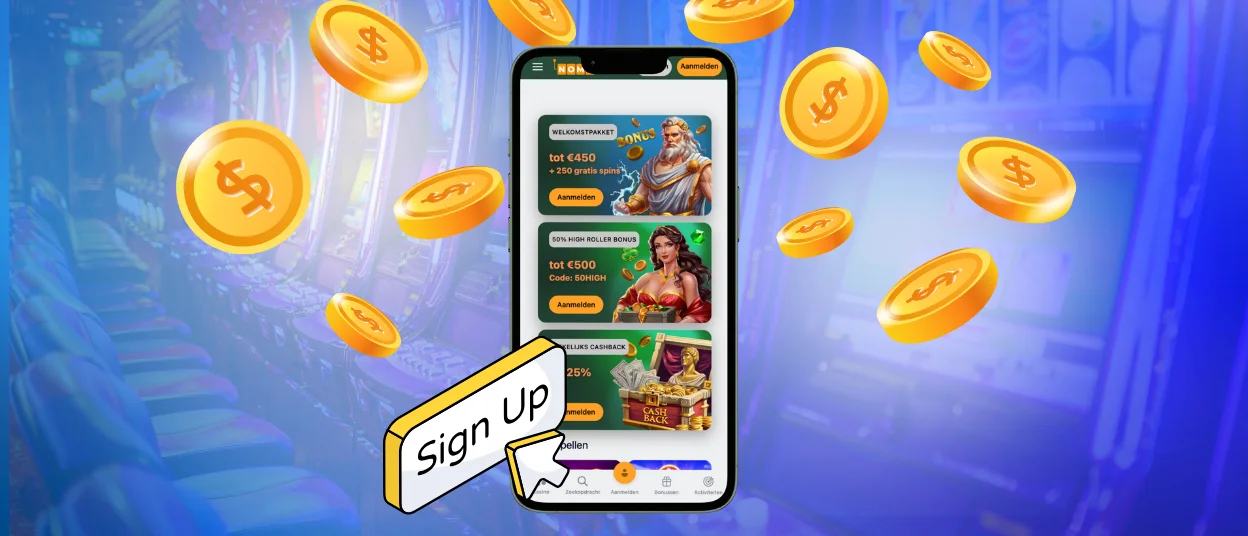
A Nomaspin login takes four steps and works the same way on desktop and on mobile.
- Open the Noma Spin website and select Log In in the top right corner of the header.
- Enter the email address you registered with.
- Enter your password, and use the eye icon to check the characters before you continue.
- Confirm the one-time code when two-factor authentication is active, then the site returns you to the lobby with your balance loaded.
Signing in unlocks the full control panel. The wallet inside Nomaspin Casino shows real cash and bonus funds as separate figures, so the amount available for withdrawal stays clear at all times. Four areas cover everyday account management inside a Noma Spin profile:
- Wallet: deposits, withdrawals and the current balance split
- History: past gaming sessions, plus every transaction and claimed promotion
- Profile settings: personal details, password changes and two-factor authentication
- Responsible gaming: deposit caps and session timers, plus cooling-off periods
The header keeps a shortcut to the same panel, so switching between the lobby and your balance takes a single tap. Every Nomaspin login session closes automatically after a period of inactivity, which keeps a shared device safe.
Keeping Your Nomaspin Account Secure
Protection at Noma Spin starts before you reach the login form. The registration form asks for a long combination of letters and symbols when creating a password.
Two-factor authentication adds the second layer. Once you switch it on in the security settings, each Nomaspin login from an unfamiliar device asks for a one-time code. We also record every session and send an alert when a sign-in arrives from a fresh location, which gives you time to react.
The verification process closes the loop. Ahead of your first withdrawal, our compliance team compares your identity documents with the details saved in your profile. This step protects your funds from anyone who tries to use your name, and it keeps our platform aligned with the licensing rules we work under. The table below sums up the four layers that guard a Nomaspin Casino account.
| Protection layer | How it works |
|---|---|
| Encrypted connection | TLS 1.3 and 256-bit AES encryption cover every page and every transaction |
| Two-factor authentication | A one-time code confirms each sign-in from an unfamiliar device |
| Session monitoring | Login alerts and automatic logout after inactivity guard shared devices |
| Identity verification | Document checks ahead of the first withdrawal confirm that the profile belongs to you |
Players who want extra distance from their account can request a cooling-off period at any moment, and self-exclusion stays available for longer breaks. Our agents walk you through each of these settings on request.
Frequently Asked Questions about Nomaspin Login
Which documents are required for account verification, and what is the typical processing timeframe?
Three documents complete the verification process. The first is a valid identity document, and Nomaspin Casino accepts a passport or a national ID card. The second is proof of address, and a utility bill or a bank statement issued within the last three months works well here. The third confirms ownership of your payment method, and a card photo with the middle digits hidden is enough. Our compliance team at Noma Spin reviews clear uploads within 24 to 48 hours and sends the result by email.
How can I activate two-factor authentication (2FA) to improve account security?
Two-factor authentication switches inside your profile settings in under a minute. Open the security tab after Nomaspin login and select the 2FA option. Scan the code that appears with an authenticator app on your phone. Enter the six-digit code that the app produces, and the feature becomes active straight away. Each sign-in from a new device then asks for a fresh code, and our Support Team restores access through live chat if you change phones.
Is it possible to log in via social media accounts, or are alternative authentication methods available?
Access to a Nomaspin Casino account runs through the email address and password created at registration. This single route keeps your credentials inside our own encrypted system rather than a third-party platform. Two additional methods reinforce it: two-factor authentication for every session and a password reset link sent to your registered email address. Our multilingual support handles access questions at any hour, and the live chat window sits in the bottom corner of every page.


